 Tiraz
Designing a Ramadan 2027 Imsakiya
The imsakiya is among the most designed and shared things before Ramadan: mosques and companies print it, and accounts and shops share it with their logo. Ramadan 1448 AH is expected to begin around 8 February 2027 by astronomical calculation, with the official start announced by moon sighting. This article covers what goes on an imsakiya, where to get the times, and how to design it on your phone in Tiraz.
What goes on an imsakiya
- The title, «إمساكية رمضان 1448هـ», and the city, since times differ from city to city.
- For each day: the day of Ramadan, the weekday and Gregorian date, and the times of imsak, Fajr, sunrise, Dhuhr, Asr, Maghrib (iftar) and Isha.
- A note that times are approximate and that imsak comes a few minutes before Fajr depending on the issuing body.
- Your logo or organization name, and a Ramadan phrase or prayer.
Where to get the times
Never copy times from another city's imsakiya or from a past year. Take them from the official body in your country, such as the ministry of awqaf or Islamic affairs, the Umm al-Qura calendar in Saudi Arabia, or your official calendar, and check them again once the month is announced. A wrong imsakiya makes people break their fast early or miss suhoor.
Tiraz is a design tool and doesn't calculate prayer times; you enter the figures from the official source. What Tiraz provides is the Hijri (Umm al-Qura) and Gregorian dates, Arabic calligraphy, Ramadan lettering, and export for sharing and print.
Three imsakiya formats
- A daily story card: one story-size card with today's times only; design it once and change the figures daily. Best for accounts and shops, and easy to read on a phone.
- A weekly or ten-day sheet: a 7- or 10-day table in a post or an A5 page, readable without zooming.
- A full-month sheet: 30 rows on A4 or A3 for printing and posting, needing a clear font and well-spaced rows.
To be honest: Tiraz isn't a spreadsheet, so daily and weekly imsakiyas are easy and look great, while a full-month table is built from rows of text with dividers and lines and takes more patience. If you already have the table from an official source, design the cover, frame, and title in Tiraz and place the table inside.
Designing the daily imsakiya in Tiraz
Open the Ramadan templates
Download Tiraz from the App Store, then on Home tap the title of the Ramadan shelf to see all its templates; you can also browse them first in Ramadan templates. Templates with a crown are part of Tiraz Gold, the rest open for free. Pick the design closest to your taste, since every text and color in it can change afterward.
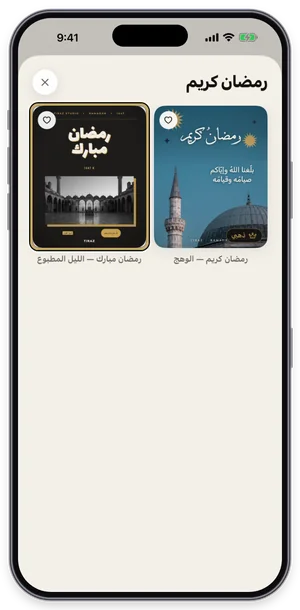
The Ramadan shelf in Tiraz: tap a template to open it in the editor. Decorate with lettering and elements
Tap graphics in the toolbar to open Elements, then the Calligraphy tab, and pick Ramadan Kareem or Ramadan Mubarak lettering. The element lands on the design, where you can scale, move, and recolor it to match; elements with a crown are part of Gold. One or two are enough, since too much decoration buries the names.
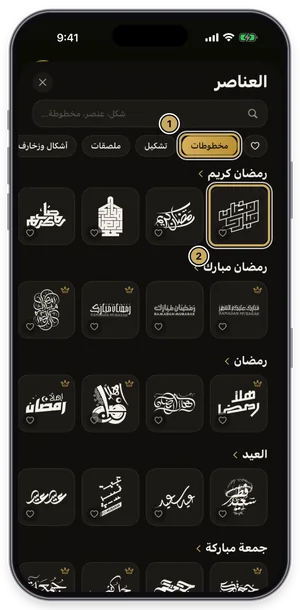
The elements library on the Calligraphy tab. Write the date in Hijri and Gregorian
Select the date text and open Date (or add a new date from the toolbar), pick the day and choose Hijri, Gregorian, or both, adding the weekday and time if you like. Tiraz calculates Hijri with the Umm al-Qura calendar, so there's nothing to convert yourself. Double-check the day you picked; date mistakes are the most common error on cards.
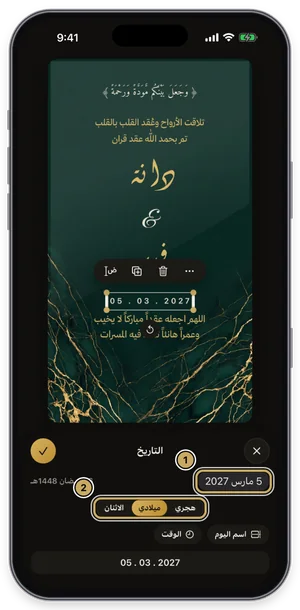
The date panel: Hijri, Gregorian, weekday, and time. Change the size without stretching
Tap ⋯ at the top of the editor, then the size, and choose story, post, A4, or a custom size, previewing the design before you confirm. The background fills the new size and every element keeps its proportions; choose New Copy to keep the original. Design for the phone first, then move it to a print size.
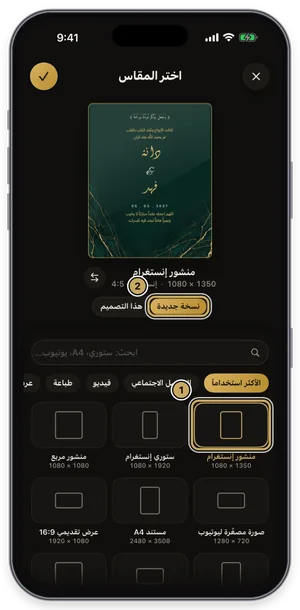
Choosing a size: the design previewed at the new size before you confirm. Export or share the design
Tap the gold share button at the top of the editor to open Export: a full-size PNG for free, and a print PDF, 4K, and transparent backgrounds with Gold. Tap Share to send it straight to WhatsApp, or Save to keep it in Photos. For a print shop always choose PDF; a phone image prints soft.
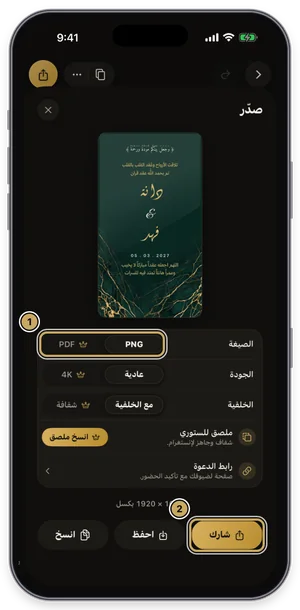
The export sheet: format, quality, and background, then share or save.
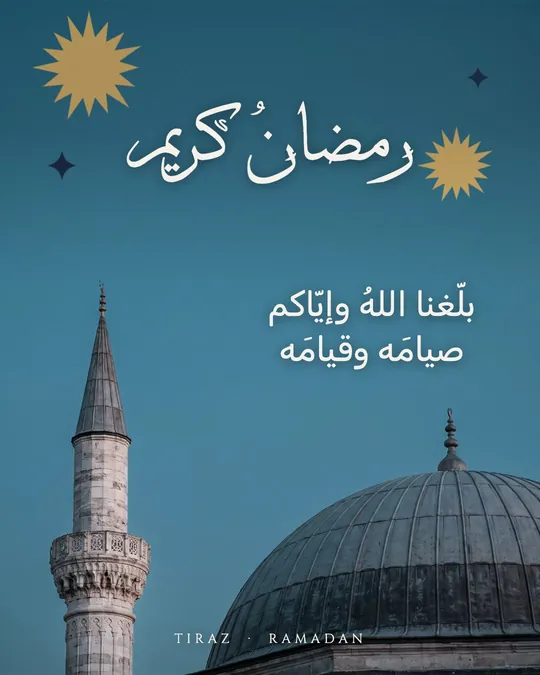
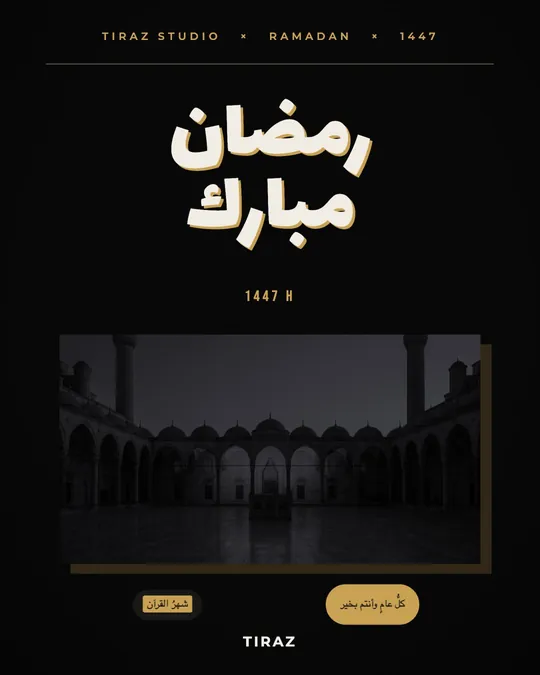
Ideas to make your imsakiya stand out
- A different short prayer or hadith each day on the daily card.
- A “day 12 of 30” counter that shows the month's progress.
- Night colors, navy and gold, with a lantern or crescent.
- The last ten nights in a different color.
- Your logo small at the bottom, never crowding the times.
Posting the imsakiya daily
- Post the daily card after iftar for the next day, or before suhoor, when people look up the times.
- Pin it to a highlight named “Imsakiya” so followers can find it.
- Use the same colors and fonts daily so followers recognize your post at a glance.
Lines for the bottom of the imsakiya
ذَهَبَ الظَّمَأُ، وَابْتَلَّتِ الْعُرُوقُ، وَثَبَتَ الْأَجْرُ إِنْ شَاءَ اللَّهُThe thirst is gone, the veins are moistened, and the reward is assured, God willing (Abu Dawud)
شَهْرُ رَمَضَانَ الَّذِي أُنزِلَ فِيهِ الْقُرْآنُThe month of Ramadan, in which the Quran was revealed (Quran 2:185)
تقبّل الله صيامكم وقيامكمMay God accept your fasting and night prayers
The first is the prayer at breaking the fast, reported by Abu Dawud; the second opens a verse of Surat al-Baqarah (2:185). Copy both with their diacritics from a trusted source.
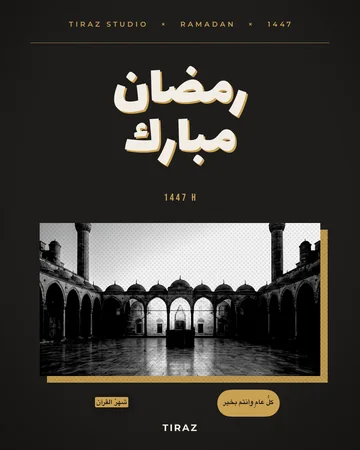
An imsakiya with your company or shop logo
With Tiraz Gold, My Brand saves your logo, colors, and two brand fonts once, then applies them to the imsakiya in one tap: one font for headings, another for the times, and your colors in place of the template's. Resize from story to post or A4 without stretching, so one design gives you a version to share and one to print.
For greetings on the imsakiya or with your post, read the article on Ramadan and Eid greetings.
Apply your brand in one tap
Choose My Brand in the toolbar, save your logo, colors, and two fonts (headings and text) once, then apply them to any design in one tap. My Brand is part of Tiraz Gold and keeps every design from a shop or company consistent. Pick a clear font for numbers and details.
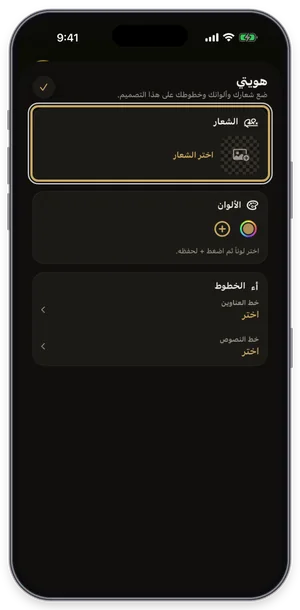
My Brand: logo, colors, and heading and text fonts.
Common Questions
When does Ramadan 2027 begin?
Does Tiraz calculate prayer times?
What size suits a printed imsakiya?
Can I put my logo on the imsakiya?
How do I make a printable imsakiya PDF?
Is there a ready imsakiya template?
More Articles
- Nikah in Arabic Calligraphy: Fonts, Wording, and Design
- Arabic Condolence Messages, Thank-You Wording, and Ready Cards
- Quran Fonts: Hafs and Warsh for Writing Verses
- Arabic Fonts for Photoshop and Adobe, and How to Type Arabic Correctly
- Types of Arabic Calligraphy, and When to Use Each One
- Free Arabic Fonts for Design and Commercial Use
- Arabic New Baby Wishes and Birth Announcement Cards
- Arabic Wedding Invitation Wording and Formal Templates
- Arabic Graduation Wishes and Graduation Party Invitations
- Ramadan and Eid Greetings in Arabic, and Greeting Cards
- An Invitation Design App with Arabic Calligraphy: How to Choose and Design
- Designing a Digital Invitation with a Link and RSVP
- An App for Writing in Arabic Calligraphy on iPhone
- Arabic Fonts on iPhone: What Actually Works
- An Arabic Name Decoration App: Your Name in Ornate Calligraphy
- Designing a Named Greeting Card on Your Phone
- A Canva Alternative for Arabic Design: An Honest Comparison
- All Articles →
Design your next invitation in Tiraz
Gulf-inspired templates, authentic Arabic calligraphy, and print-quality export, right from your phone.