 Tiraz
Designing a Named Greeting Card on Your Phone
A greeting card with the recipient's name and yours beats a forwarded image everyone has already seen. People look for a greeting card app for Eid, graduation, success, weddings, and new babies, and want an elegant result in minutes. This article covers what a card needs, compares the apps, and shows the steps in Tiraz for each occasion.
Design a Greeting Card in Tiraz
What makes a greeting card beautiful
- One large phrase in calligraphy, such as Eid Mubarak, congratulations on graduating, or the wedding blessing.
- The name: the recipient's or your own, in a clearer, smaller font.
- One element that signals the occasion: a lantern, a graduation cap, a bow, flowers.
- Breathing room: empty space is part of elegance, so don't fill every corner.
Comparing greeting card apps
- “Card with your name” sites: put a name on a stock image in seconds, but everyone gets the same design, you can't control font or colors, and some add their watermark.
- Canva: many templates on many platforms, but limited calligraphic Arabic and no joint-aware kashida.
- Tiraz: ready Arabic templates and greeting calligraphy, full control of font, color, and photo, calligrapher-style kashida, and export with no watermark. iPhone only for now; print PDF is in Gold.
The steps in Tiraz
Start a new design
Download Tiraz from the App Store, tap the gold + at the bottom, and choose Blank and a size, or From Photo to start with your picture. Ready sizes include post, story, square, and video, and All Sizes holds the print formats. Start at the size you'll publish in so you don't have to rearrange the design later.
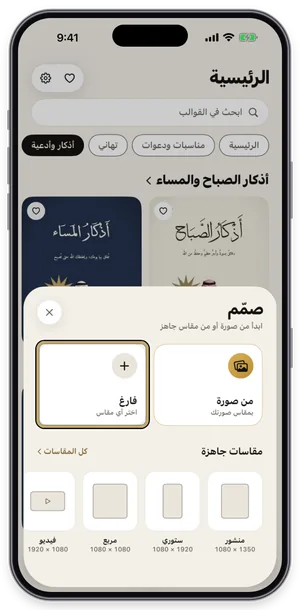
The Create sheet: a blank page or a photo, with ready sizes. Decorate with lettering and elements
Tap graphics in the toolbar to open Elements, then the Calligraphy tab, and pick the greeting lettering for the occasion. The element lands on the design, where you can scale, move, and recolor it to match; elements with a crown are part of Gold. One or two are enough, since too much decoration buries the names.
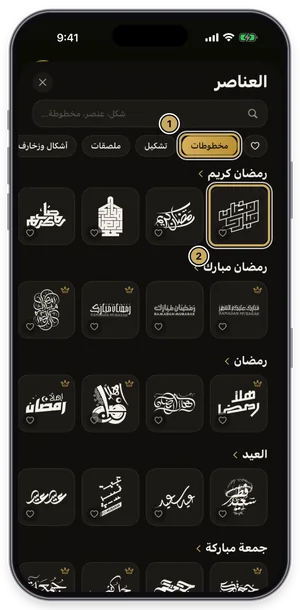
The elements library on the Calligraphy tab. Color a single word
Select the text, tap Word, pick the word to highlight, then open colors and choose one. Only that word changes color, without splitting the line into layers, so the line stays intact. Take the color from the design itself, such as gold on a dark template.
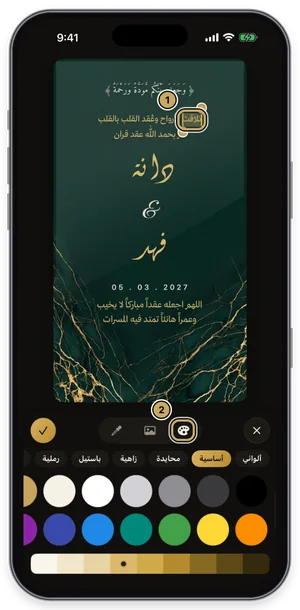
The first word selected, with the color panel open. Decorate with lettering and elements
Tap graphics in the toolbar to open Elements, then the Elements tab, and pick an item that signals the occasion. The element lands on the design, where you can scale, move, and recolor it to match; elements with a crown are part of Gold. One or two are enough, since too much decoration buries the names.
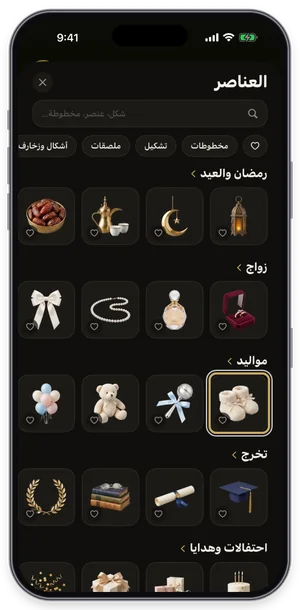
The elements library on the Elements tab. Export or share the design
Tap the gold share button at the top of the editor to open Export: a full-size PNG for free, and a print PDF, 4K, and transparent backgrounds with Gold. Tap Share to send it straight to WhatsApp, or Save to keep it in Photos. For a print shop always choose PDF; a phone image prints soft.
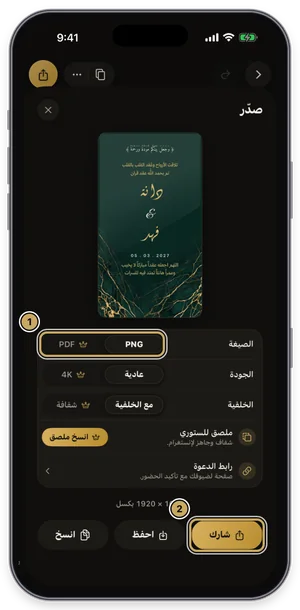
The export sheet: format, quality, and background, then share or save.
A card for every occasion
- Eid and Ramadan: Eid and Ramadan calligraphy with a lantern or crescent; wording in the Ramadan and Eid greetings article.
- Graduation and success: graduation and success calligraphy, the cap and the graduate's photo; wording in the graduation wishes article.
- Weddings: wedding and engagement calligraphy with the couple's names in Diwani.
- New babies: newborn calligraphy in soft colors; wording in the new baby wishes article.
- Teachers and thanks: thanks and appreciation calligraphy with the teacher's and student's names.
- Promotion: a congratulations line in Thuluth with the person's name and new title.
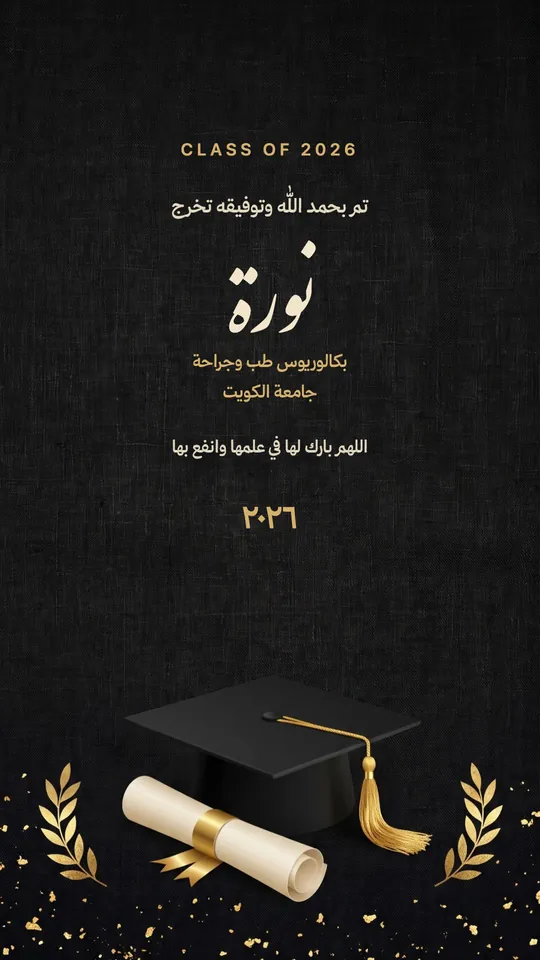


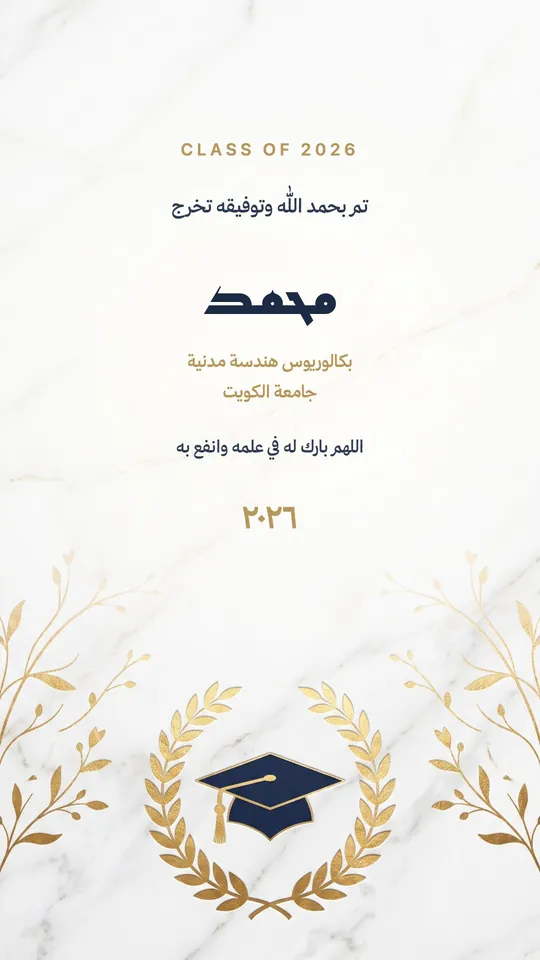
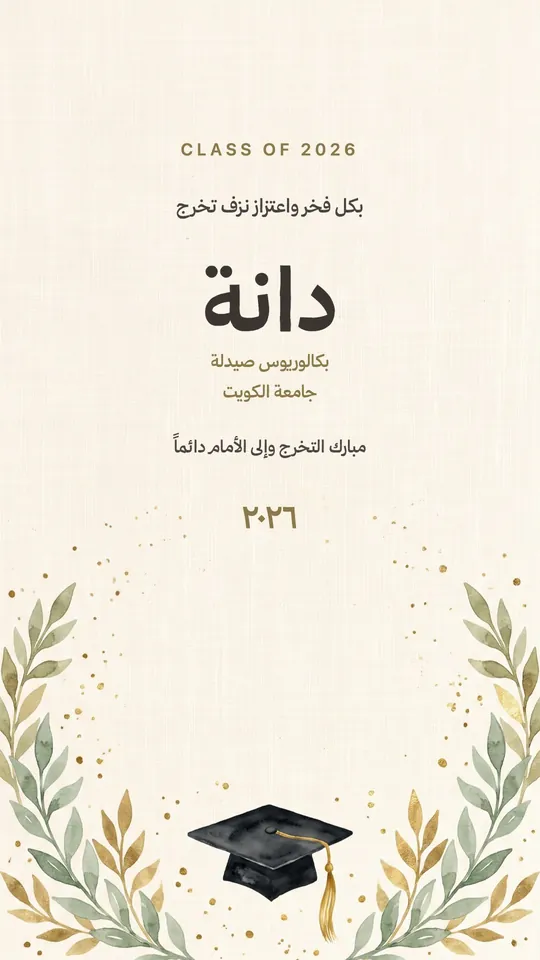
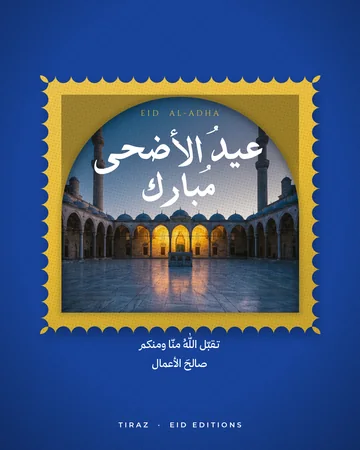

Short lines for the card
عيدكم مباركEid Mubarak
ألف مبروك التخرجCongratulations on graduating
بارك الله لكما، وجمع بينكما في خيرMay God bless you both and unite you in goodness
مبارك ما جاءكمCongratulations on your new arrival
مبروك الترقية، وإلى الأعلى دائماًCongratulations on the promotion, and onward and upward
شكراً معلمتيThank you, teacher
The right sizes
- Story, 1080×1920, for WhatsApp, status, and Snapchat.
- Square or portrait post for Instagram.
- A6 or A5 for a printed card to go with a gift.
- A small custom size for a gift tag or event favors.
A card from a family or team
For a card from a family or a work team, write the greeting large with “from the … family” or “the … team” below it, or list the senders in small type over two lines. With Tiraz Gold, save the company logo and colors in My Brand so every team card shares one identity.
An Eid card with your name, step by step
Open the Ramadan templates
Download Tiraz from the App Store, then on Home tap the title of the Ramadan shelf to see all its templates; you can also browse them first in Ramadan templates. Templates with a crown are part of Tiraz Gold, the rest open for free. Pick the design closest to your taste, since every text and color in it can change afterward.
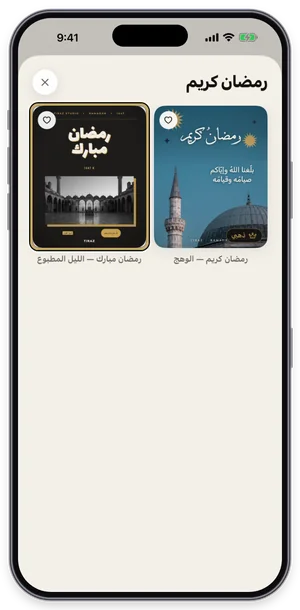
The Ramadan shelf in Tiraz: tap a template to open it in the editor. Open the template in the editor
The Eid al-Adha template opens in the editor at full size; its fonts and pictures download once and stay on your device. Everything you see is its own layer: texts, photos, and ornaments. Don't start with colors before the text is in, since the length of a name can change the design's balance.
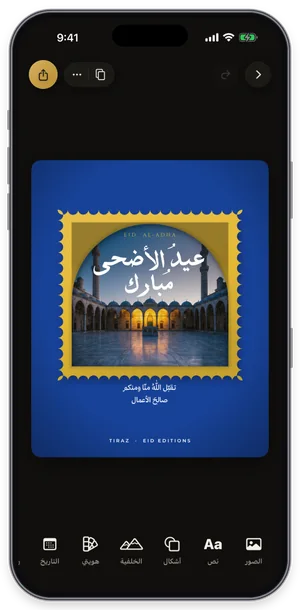
The template open in the editor, with its tools along the bottom. Change the size without stretching
Tap ⋯ at the top of the editor, then the size, and choose story, post, A4, or a custom size, previewing the design before you confirm. The background fills the new size and every element keeps its proportions; choose New Copy to keep the original. Design for the phone first, then move it to a print size.
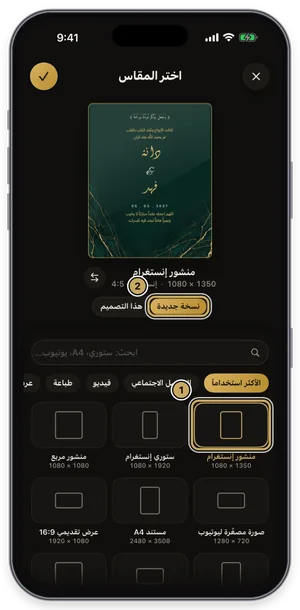
Choosing a size: the design previewed at the new size before you confirm.
A card for a teacher
Teacher cards are among the most designed at the end of the year and on Teachers' Day: write a thank-you in Diwani with the teacher's name and the student's name and class below, and add painted flowers or a simple frame. If it's from the whole class, list the students' names small at the bottom and print it at A5 with the gift.
Tips for a memorable card
- Color the name alone without splitting the line, so it stands out at first glance.
- Stretch the greeting word at its joint so it looks hand-lettered, not typed.
- Design at story size for sending, then move it to post or print size without stretching if needed.
- Save the card in My Designs and duplicate it for each person, changing only the name.
Common Questions
What is the best greeting card app?
How can I design a card with my name for free?
Is there a watermark on the card?
Can I print the card?
What size is a printed greeting card?
More Articles
- Nikah in Arabic Calligraphy: Fonts, Wording, and Design
- Arabic Condolence Messages, Thank-You Wording, and Ready Cards
- Quran Fonts: Hafs and Warsh for Writing Verses
- Arabic Fonts for Photoshop and Adobe, and How to Type Arabic Correctly
- Types of Arabic Calligraphy, and When to Use Each One
- Free Arabic Fonts for Design and Commercial Use
- Arabic New Baby Wishes and Birth Announcement Cards
- Arabic Wedding Invitation Wording and Formal Templates
- Arabic Graduation Wishes and Graduation Party Invitations
- Ramadan and Eid Greetings in Arabic, and Greeting Cards
- An Invitation Design App with Arabic Calligraphy: How to Choose and Design
- Designing a Digital Invitation with a Link and RSVP
- An App for Writing in Arabic Calligraphy on iPhone
- Arabic Fonts on iPhone: What Actually Works
- An Arabic Name Decoration App: Your Name in Ornate Calligraphy
- Designing a Ramadan 2027 Imsakiya
- A Canva Alternative for Arabic Design: An Honest Comparison
- All Articles →
Design your next invitation in Tiraz
Gulf-inspired templates, authentic Arabic calligraphy, and print-quality export, right from your phone.